Making Books Spatial: An Introduction to the Story Schema Card Generator


Why I Built the Story Schema Card Generator Tool
“I used to love reading when I was a kid, but I completely stopped after I graduated.” Sound familiar? I've heard so many adults say this, and it stuck with me because of my background. I taught Language Arts for years, and I'm a proud parent of a very reluctant reader. When I was in the classroom, one constant was hearing students tell me that Reading was their least favorite subject, treating it like a chore, a test, or a punishment. By the time many people leave school, the organic joy of entering a story has been completely replaced by the stress of performing comprehension.

A lot of conventional reading advice operates on the assumption that a struggle with reading is simply an issue of effort. We tell readers to "just read more," "annotate the margins," or "just pay attention," but that misses the actual mechanical problem. Reading comprehension is more than just decoding words; it requires the physical act of turning letters into sounds and definitions. The real cognitive heavy lifting happens when your brain attempts to construct a mental model of the text as you go. In cognitive science, this mental architecture is called a schema. It’s the invisible internal map that tells you who is in the room, where things are happening, what has changed, what matters symbolically, and how a single scene fits into the broader arc of the whole book.
When a reader is tackling complex syntax, navigating older public-domain language, or managing a "spiky" cognitive profile (like many autistic, ADHD, or dyslexic thinkers), holding that invisible mental model together while simultaneously processing text is exhausting.
Needing a visual scaffold means the reader needs a format to meet their brain halfway. These kids were raised on iPads, which is a far cry from decoding the themes of To Kill a Mockingbird to pass a test.
That's exactly why I created the Story Schema Card Generator tool. I wanted to take that invisible mental work and turn it into something tangible that readers can see, touch, print, sort, review, and revisit. The point is to make the story stop floating around and start making sense. Some readers need more visual structure; some simply love having it; and everyone deserves tools that make reading feel accessible rather than punitive.
Core Explanation: What Does the Story Schema Card Tool Do?

The Story Schema Card Generator is a printable reading-support tool built for public-domain, open-source, or rights-cleared books. When you use the tool, you enter basic parameters: the book title, author, reader level, deck mode, spoiler mode, and card focus areas. You can also add optional custom notes or specific chapter text. The generator processes this data and outputs a robust set of physical story schema cards complete with short descriptions, “why it matters” explanations, chapter/reference guidance, visual image support, and flexible export options.
Depending on your needs, the tool can generate:
Printable flashcard-style PDFs (ready to cut and fold)
CSV exports tailored for bulk importing into Canva or Google Sheets
JSON backups to save and reload your data later
Clean, raw printable text for screen readers
Image search ideas and Openverse-style search prompts
Optional AI-generated symbolic images or structured placeholder blocks
The Seven Elements of a Story Map

To keep a deck from becoming a flat, unhelpful list of names, the tool organizes the narrative architecture into seven distinct card types:
Character Cards: Identify major protagonists, antagonists, key family members, or mentors so readers can track who is who and how they relate.
Setting Cards: Map out houses, cities, forests, courtrooms, or specific time periods to anchor the physical environment and show how place affects meaning.
Scene Cards: Pinpoint critical actions, turning points, discoveries, conflicts, or major decisions that drive the plot forward.
Object Cards: Highlight significant physical items that hold plot or symbolic weight (think: a key, a letter, a ring, a bottle, a map, or a specific piece of clothing).
Concept Cards: Unpack abstract ideas, social rules, emotional patterns, values, or class dynamics necessary to understand the story's underlying systems (e.g., identity, isolation, obedience, belonging).
Group Cards: Combine minor background figures or social categories that matter collectively but do not need individual cards (e.g., soldiers, townspeople, servants, suitors). This keeps the deck clean and functional instead of cluttering it with one-off cards.
Episode Cards: Designed for episodic works, myths, adventures, or epics where the story progresses through distinct, self-contained encounters or structural journey stages.
What's on Each Schema Card?
Every single card generated contains specific metadata to provide layered scaffolding:
Card Type & Label: (i.e., Setting: The Red Room or Concept: Class Disparity)
Short Description: A concise explanation of what the card represents.
Why It Matters: The core engine of the card. A character card isn’t just a bio; it explains how that person changes the story. A setting card explains how the location dictates the characters' choices. A scene card doesn’t just summarize a plot point; it tells the reader why this moment is a catalyst for what comes next.
Chapter/Reference: Visual guidance on where the card connects to the text.
Priority Level: (Essential, Useful, Optional, or Deep)
Spoiler Level: (Low, Medium, or High)
Image Support: A visual representation to give the brain an immediate anchor.
Deck Modes Based on Level of Cognitive Support
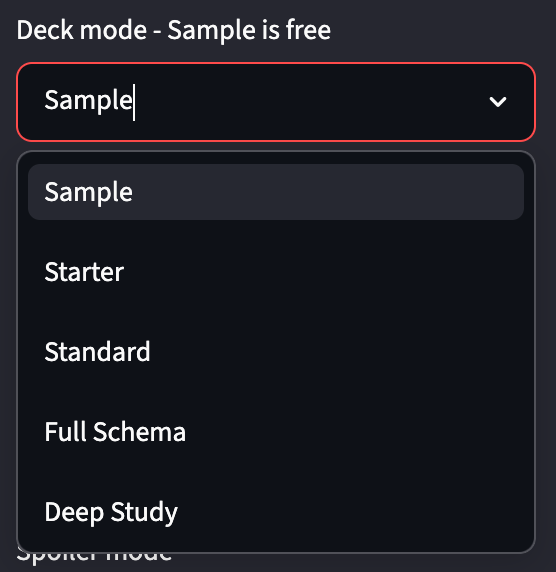
When I designed the pricing and structure of these decks, I wanted to make sure users weren't just paying for "more stuff." A larger deck isn't just a longer inventory; it represents a deeper level of reading support and analysis. Behind the scenes, the tool assigns every card a priority level, and your chosen deck mode determines which priority layers are unlocked.
Deck Mode | Approx. Card Count | Priority Levels Included | Core Principle & Best Use Case |
Sample Deck | ~8 cards | Essential only (Capped) | Orientation: A free, low-friction doorway to preview a book's major anchors (main characters, primary setting) and test if the cards match a reader's style. |
Starter Deck | 12–16 cards | Essential only | Minimum Viable Comprehension: The leanest baseline deck meant for genuine utility. Best for short works, young readers, or individuals who easily experience information overload. |
Standard Deck | 20–35 cards | Essential + Useful | Whole-Book Comprehension: The practical default for most independent readers, homeschoolers, and tutors. Maps major and secondary elements without turning into a literature seminar. |
Full Schema Deck | 40–70 cards | Essential + Useful + Optional | Structured Story Mapping: Provides a broader, more comprehensive map of the text with fewer structural gaps. Excellent for complex classics or readers benefiting from heavy scaffolding. |
Deep Study Deck | 70–110 cards | Essential + Useful + Optional + Deep | Interpretation and Study: Turns the book into a visual analysis system. Includes motifs, thematic structures, and minor turning points. Ideal for essay planning, test prep, and classroom instruction. |
1. Sample Deck (~8 cards)
Priority Level: Essential cards only, strictly capped.
Core Principle: Orientation. It provides a small, free, or low-friction doorway into the story to show how the tool functions. It includes only the absolute primary anchors: main characters, major settings, and a defining initial scene.
Best For: Testing the tool, previewing a book’s baseline setup, or seeing if schema cards match a specific reader's style.
2. Starter Deck (12–16 cards)
Priority Level: Essential cards only.
Core Principle: Minimum viable comprehension. This is the leanest deck meant for genuine utility during a full read. It gives the reader the baseline structural handholds needed to begin reading without getting immediately turned around.
Best For: Short works, simple fables, young or emerging readers, or individuals who easily experience sensory or information overload from dense materials.
3. Standard Deck (20–35 cards)
Priority Level: Essential + Useful.
Core Principle: Whole-book comprehension. This is the practical default option for most users. It supports a reader across the entirety of a text, expanding to secondary characters, important symbols, and major chapter turns without turning the deck into an overwhelming literature seminar.
Best For: Independent adult readers tackling classic novels, homeschool support, classroom differentiation, and parents guiding a child through a school book.
4. Full Schema Deck (40–70 cards)
Priority Level: Essential + Useful + Optional.
Core Principle: Structured story mapping. This deck significantly reduces structural gaps throughout the narrative arc. It builds out a broader visual web that tracks secondary subplots, structural shifts, recurring concepts, and institutional forces within the book.
Best For: Complex or long classics, book clubs reading section-by-section, adult literacy programs, and neurodivergent readers who thrive with heavy visual scaffolding.
5. Deep Study Deck (70–110 cards)
Priority Level: Essential + Useful + Optional + Deep.
Core Principle: Interpretation and study. This turns the deck into a comprehensive visual study system. It moves past simply following the plot and digs directly into deep literary analysis: motifs, intricate character relationships, subtle turning points, abstract themes, and structural patterns.
Best For: Advanced literature units, test prep, essay planning, teacher lesson curation, and students who understand the literal plot but struggle with abstract textual analysis.
Managing Your Layout: Balanced Deck vs. Select All
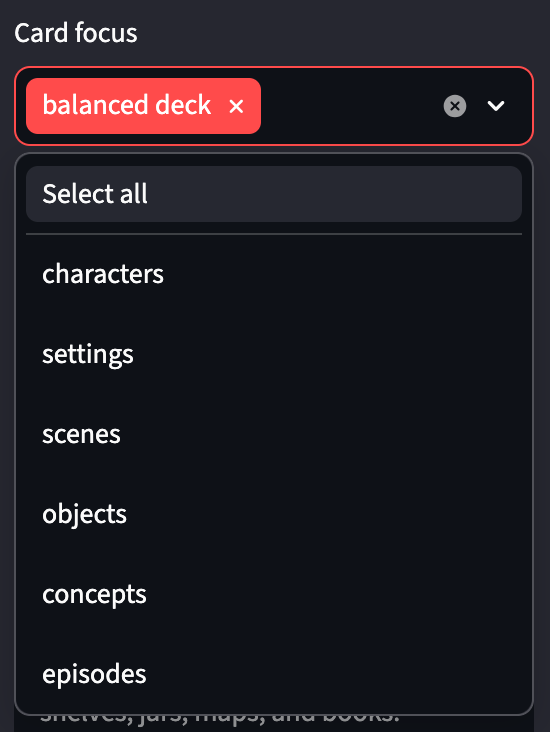
To give you maximum control over how the generator builds your visual map, I created two distinct layout philosophies: Balanced Deck and Select All.
The Balanced Deck (Default)
When you keep Balanced Deck selected, the tool curates a proportional, highly functional mix of card types designed specifically for human comprehension, rather than dumping raw data. A balanced deck generally targets:
Characters: 25–40%
Settings: 15–25%
Scenes/Actions: 25–35%
Objects, Concepts, Groups, & Episodes: 10–25%
(Note: These are intuitive guidelines, not rigid mathematical traps. A book tracking a massive journey will naturally generate more setting and episode cards, while a localized myth will pull more symbols and concepts.)
Balanced Deck vs. Select All
Balanced Deck acts as an intentional reading guide. It prioritizes what the reader actually needs to follow the story progression and keeps the deck from becoming heavily lopsided. It is highly recommended for Sample, Starter, and Standard decks.
Select All tells the tool to treat every category equally, without prioritizing structural balance. This says, "Do not filter out minor categories." It is great for Full Schema or Deep Study modes when you want an unedited, complete inventory of every element inside the text, even if it creates a much denser stack of cards.
Layering Focus Areas onto a Balanced Deck
If you keep Balanced Deck enabled but explicitly check an extra category like Concepts or Settings, you are telling the generator: "Give me a well-proportioned deck, but deliberately allocate more real estate to this specific asset class."
This allows you to change the flavor of your deck mode depending on your specific goals:
Balanced + Characters: Focuses heavily on social webs, motivations, and character development.
Balanced + Settings: Heightens historical context, geographic movement, and atmosphere.
Balanced + Scenes: Creates a strong, chronological plot line focused on cause-and-effect.
Balanced + Objects: Prioritizes tracking physical clues, gifts, props, and literal symbols.
Balanced + Concepts: Shifts the deck heavily toward abstract themes, emotional patterns, and societal systems. (Perfect for a student who knows what happened but can't quite articulate why it matters conceptually.)
Balanced + Episodes: Emphasizes journey checkpoints, distinct trials, and structural chapter blocks.
How Focus Adapts Across Deck Sizes
Sample Deck + Concepts: Because the deck is tiny (~8 cards), this will subtly swap out an object or secondary scene for a single major theme card.
Starter Deck + Concepts: Will adjust to reserve 2–4 cards for themes or values, while still maintaining core protagonists and primary settings.
Standard Deck + Concepts: Introduces a noticeable thematic layer, giving you a strong mix of plot points and abstract meaning to talk through while reading.
Full Schema Deck + Concepts: Creates an excellent discussion-heavy teaching deck that grounds secondary plot lines in overarching social context.
Deep Study Deck + Concepts: Yields an analysis-heavy system perfectly structured for outlining essays or preparing for literary exams.
Spoiler Control and Custom Context
Three Paths for Pacing: Spoiler Modes

Reading a book for the very first time requires a completely different psychological environment than studying it for an end-of-term paper, so I built three distinct spoiler modes into the generator:
Low Spoilers: Tailored for first-time readers. It deliberately filters out major endings, final character deaths, hidden twists, and ultimate outcomes. It focuses entirely on upfront anchors to help you read the book seamlessly as you go.
Chapter-Safe: Ideal for incremental lessons. It locks the tool’s analytical boundaries to a specific reading range or provided text section, ensuring that your support cards don’t accidentally give away information from chapter fifteen when your student is only on chapter two.
Full Study: Removes all structural filters. It treats the text as an entirely completed work, which is necessary for post-reading reviews, teacher planning, and essay brainstorming where endings and final transformations are central to the argument.
Maximizing Accuracy with Input Boxes
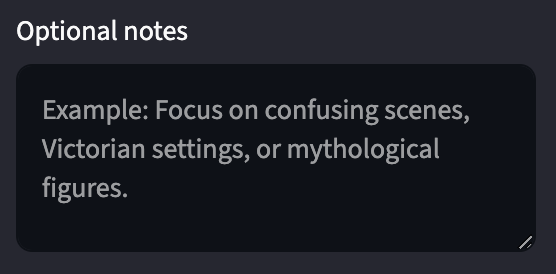
The generator includes two optional text boxes designed to give you precise control over the output:
The Optional Notes Box: This is your direct line to tell the generator exactly who this deck is for and what they need. You can type instructions like: "My student gets overwhelmed easily, keep descriptions brief," "Focus heavily on explaining Victorian class dynamics," "Keep language simple for an upper-elementary learner," or "Prioritize character relationships over setting descriptions."

The Optional Chapter/Context Text Box: Here, you can paste a public-domain excerpt, a chapter summary, or a specific scene breakdown. This helps the tool stay tightly grounded in the exact text you are working on. It also drastically improves image safety; by understanding the local context, the system can bypass figures of speech or metaphorical language that might otherwise trigger literal, confusing, or inaccurate visuals. (Note: To protect intellectual property, do not paste modern copyrighted text into this box.)
Visual Scaffolding and Ethical AI Usage
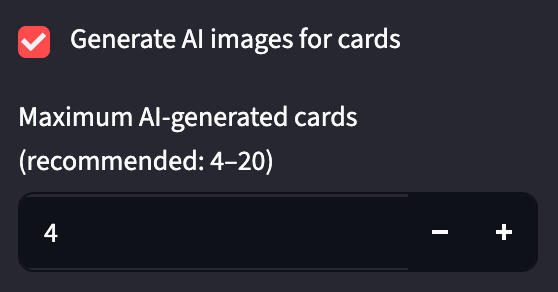
A small, symbolic visual anchor (ex: a simple lantern, an open gate, a keyhole, a map, a teacup) gives the human brain a concrete, physical peg to hang an abstract narrative concept on. Because the generator includes an option to create AI-generated images for these visual anchors on the printable cards, I want to address the ethics of this choice directly, transparently, and without tech hype.
People should approach AI tools with caution and skepticism imo. The structural problems across the tech industry are completely real: uncompensated labor practices involving scraped data from living artists, data transparency failures, massive environmental footprints regarding energy and water consumption, and the consolidated monopoly power of large tech corporations.

I believe in handling these tools with strict limits and honest boundaries:
The system is engineered to generate simple, classroom-friendly, iconic, symbolic visuals—NEVER complex illustrations designed to mimic or replace the commercial artwork of living illustrators or publishers.
The internal prompt structures explicitly bar the inclusion of text, human faces, violence, weapons, injury, or children in danger.
It's entirely optional. If you don't want to use AI-generated imagery, you can turn it off with a single toggle. The generator will automatically output clean, structured placeholder blocks or open-license Openverse search prompts, ensuring your printable decks remain gorgeous, tactile, and highly functional without utilizing a single pixel of AI data.
Bringing the Story Back Down to Earth
The ultimate value of the Story Schema Cards lies in practical accessibility. It turns books into clear, visual maps readers can actually hold in their hands. Whether you're a teacher looking to differentiate your lesson plans without losing six unpaid hours of your weekend building custom worksheets, a parent trying to make a classic novel less intimidating for your child, an adult literacy tutor seeking clean visual anchors, or an adult reader trying to rediscover the joy of classic literature without feeling like the text is actively fighting your brain, you deserve tools that make reading feel like a room you can enter, rather than a locked door.
Check out the Story Schema Card Generator, customize a deck that matches your pacing, and let's make stories make sense again.